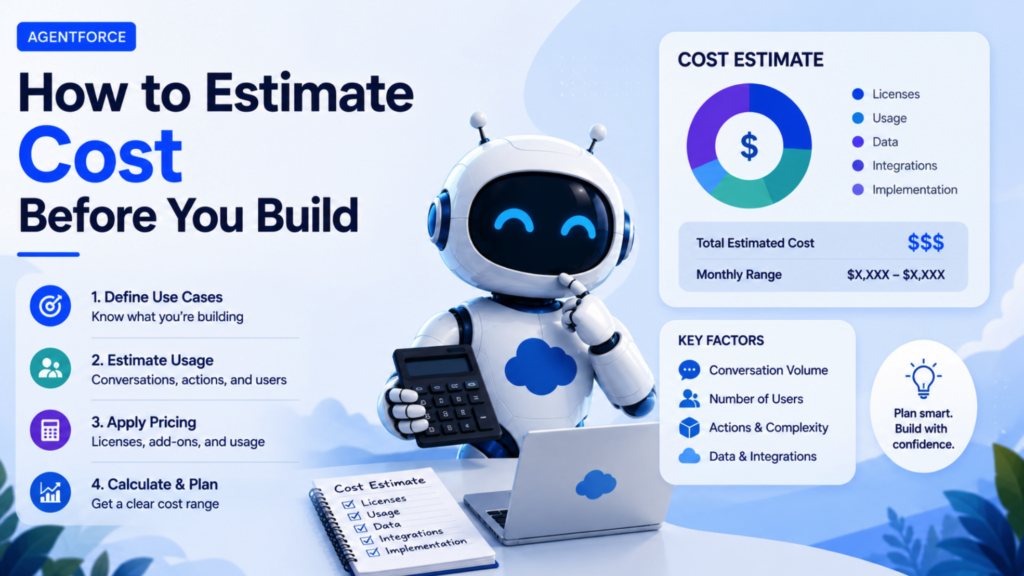
One of the questions I get asked most often is some version of: how much is this actually going to cost us?
It is a fair question, and it is one that catches a lot of teams off guard. Agentforce does not run on a simple per seat price. It runs on consumption. You pay for what the agent actually does, not just for having it available. That model is powerful, but it also means you need to understand how the meter works before you commit to a use case.
Here is the breakdown, with the official numbers and a worked example.
The Core Unit: Flex Credits
Agentforce runs on what Salesforce calls Flex Credits. This is the standard consumption currency across actions, prompts, translations, and voice actions.
The pricing is simple at the unit level:
- Flex Credits cost $500 per 100,000 credits
- A standard Agentforce action costs 20 Flex Credits, which works out to about $0.10 per action
- A Voice action costs 30 Flex Credits, about $0.15 per action
An action is a discrete step the agent performs. Identifying a customer by email, retrieving case records, updating a field, generating a response. Each one of those is a metered action.
What Counts as an Action
This is where a lot of people get tripped up. A single conversation between a user and an agent is not one action. It is usually several.
Take a simple example straight from Salesforce: a Salesforce user asks Agentforce to help manage a customer case. Behind that one request, the agent identifies the customer by email, retrieves all cases tied to that contact, and adds a comment to the case. That is three actions in a single interaction, which comes out to 60 Flex Credits, or about $0.30, for that one exchange.
This matters because the cost of a use case is not about how complex the conversation feels to the user. It is about how many discrete steps the agent has to take behind the scenes to get there.

A Worked Example
Let’s walk through the math the way Salesforce itself presents it, using a case management scenario.
The setup:
- 100 Salesforce users
- Each user manages 3 cases per day
- 20 working days per month
The actions per case: identifying the customer by email, retrieving all cases for that contact, and adding a case comment. Three actions, 60 Flex Credits per case.
The calculation:
60 Flex Credits × 3 cases per day × 20 days per month × 100 users = 360,000 Flex Credits per month
At $500 per 100,000 credits, that comes out to $1,800 per month.
That is the kind of number you want to have in hand before you propose a use case to a client or to your own leadership. It turns an abstract idea into a concrete monthly cost.
A Few Things That Change the Math
Token limits affect how actions are counted. Each action is typically scoped to a token ceiling. If a single action requires processing significantly more content than that ceiling allows, for example a very long email thread, it can count as more than one action. This is one more reason to keep your prompts and inputs focused rather than feeding the agent more context than the task actually requires.
Free credits exist, but they are limited. Salesforce Foundations, available on Enterprise Edition and above, includes a meaningful pool of free Flex Credits to start with. This is enough to run a real pilot and gather actual usage data, but production volume will typically exceed it.
There is also a per conversation pricing model, billed at $2 per conversation, as an alternative to Flex Credits. Whether that is cheaper than Flex Credits depends entirely on how many actions your typical conversation involves. If your average interaction needs more than roughly 20 actions, the flat conversation rate may work out cheaper. If it needs fewer, Flex Credits usually wins. The two models cannot be mixed in the same org, so this is a decision to make deliberately, not by default.
This example does not include other costs. Things like Data 360 credits or other consumption services are billed separately and are not part of the Flex Credit calculation above.
How to Use This Before You Build
Before you commit to a use case, walk through this sequence:
- Map out the actions. List every discrete step the agent will need to take for a typical interaction. Identify the customer, retrieve a record, generate a summary, update a field, whatever applies.
- Multiply by your real volume. How many times per day does this interaction happen, and across how many users.
- Run the Flex Credit math. Actions times credits per action times daily volume times working days times number of users.
- Compare against conversation pricing if relevant. If your action count per interaction is high, check whether the flat conversation rate would actually be cheaper.
- Build in a buffer. Real world usage during the first few weeks tends to run higher than the forecast, simply because of testing, internal QA, and people exploring the new tool. Plan your initial budget with that in mind.
The Bottom Line
Agentforce pricing rewards teams who understand their own workflow. The more clearly you can map out what your agent actually has to do, step by step, the more accurate your cost estimate will be, and the fewer surprises you will have once you go live.
Do this math before you build, not after. It is the difference between a confident proposal and an awkward conversation about the invoice three months in.
Want Even More Salesforce Career Content?
Watch Salesforce Career focused videos, listen to podcasts and check the menu items above for links to free content and courses.
About the Author
Luca Pero is a Salesforce professional driven by curiosity, someone who likes to understand how things work. That mindset, combined with his deep interest in AI, led him to help companies implement Agentforce.
Luca recently founded a boutique consultancy that helps companies implement Agentforce (https://sfaiforce.com/). If anyone in the community is exploring Agentforce or knows a company that needs help implementing it, connect with Luca on LinkedIn here.