Spring ’26 brings a wave of updates designed to make Salesforce administration, automation, and security smarter, faster, and more user-friendly. From AI-assisted setup and enhanced flow components to stronger security measures and easier permission management, these new features help admins, developers, and end users work more efficiently. In this article, we’ll explore the highlights of these updates and show how they can simplify your daily Salesforce workflows while keeping your org secure.
Setup Featuring Agentforce (Beta)
The new Agentforce Assisted Setup experience brings the AI assistant directly into Setup to make admin tasks simpler. You can type commands or ask questions in natural language via the chat window. The assistant helps with activities like creating objects and flows, managing user access, and troubleshooting formulas, making these tasks more intuitive and reducing the number of clicks needed.
To use this feature, users need the Use Setup with Agentforce and Execute Prompt Template permissions. They also must have access to the Data 360 default data space and the necessary permissions for any task they plan to perform.
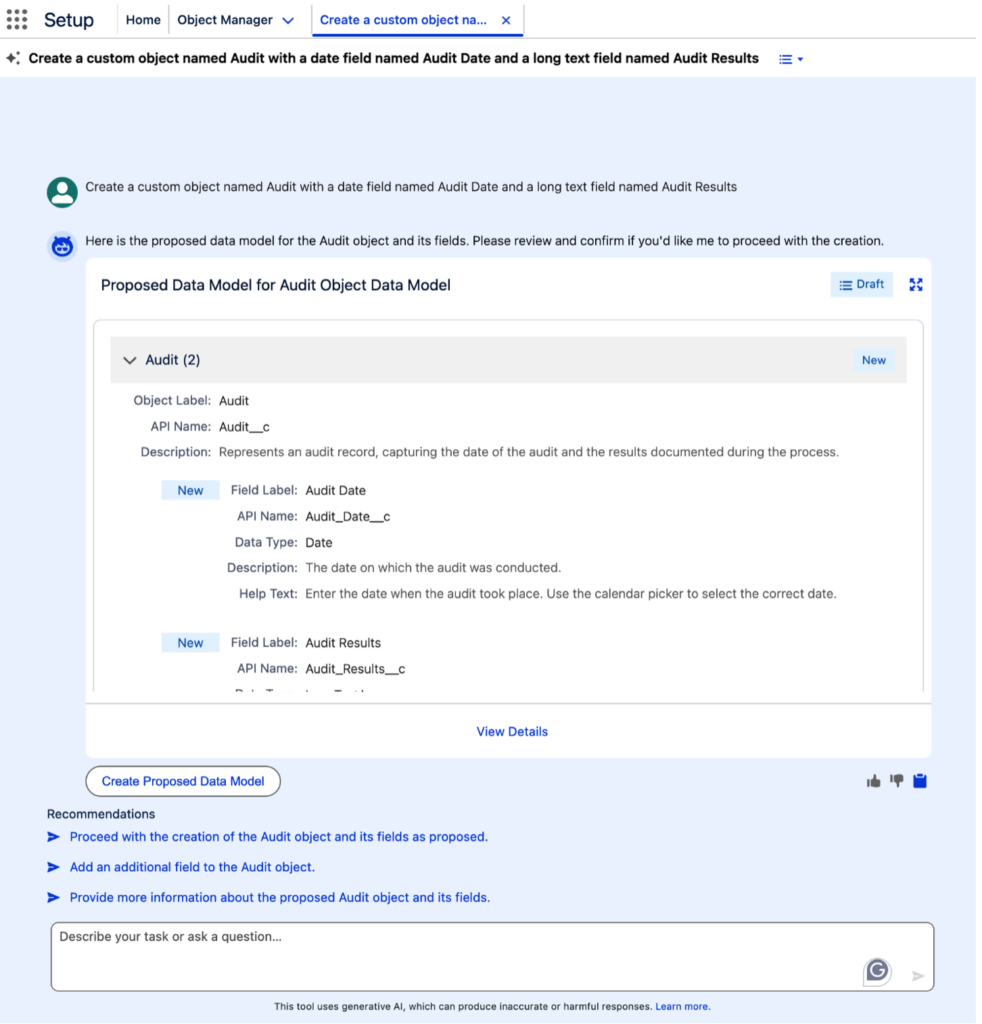
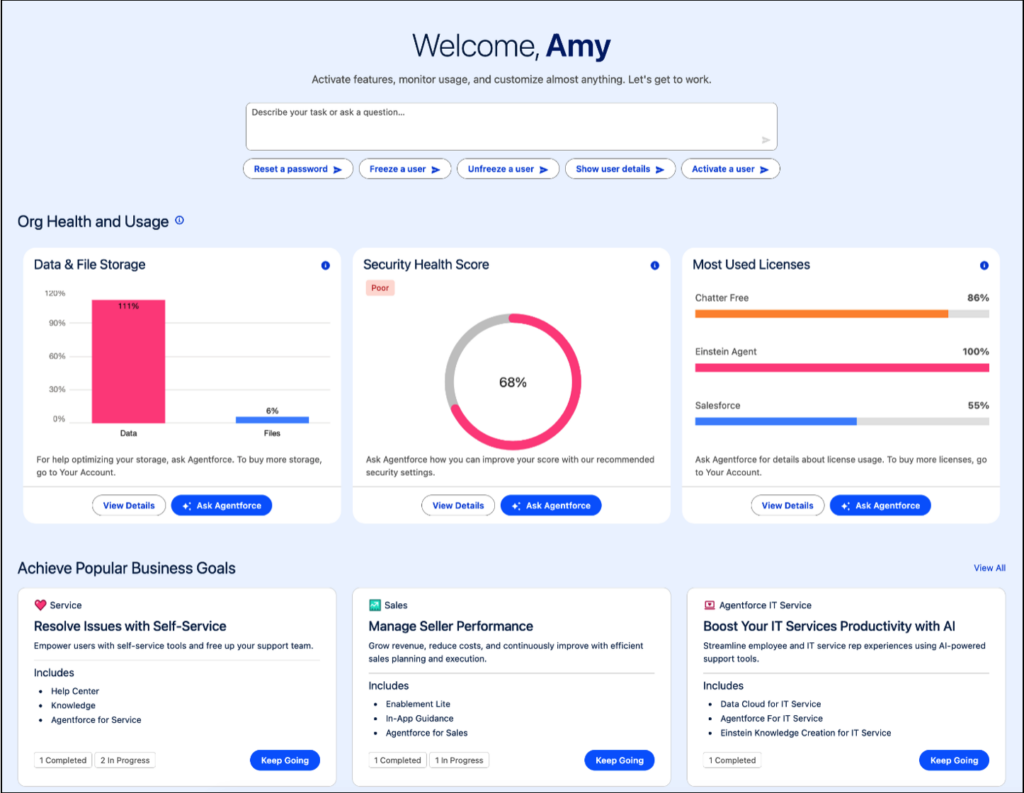
Setup with Agentforce enhances the Setup Home page by adding a prompt bar, org health and usage metrics, and conversation suggestions. These tools help you get started quickly and guide you through completing common administrative tasks more efficiently.
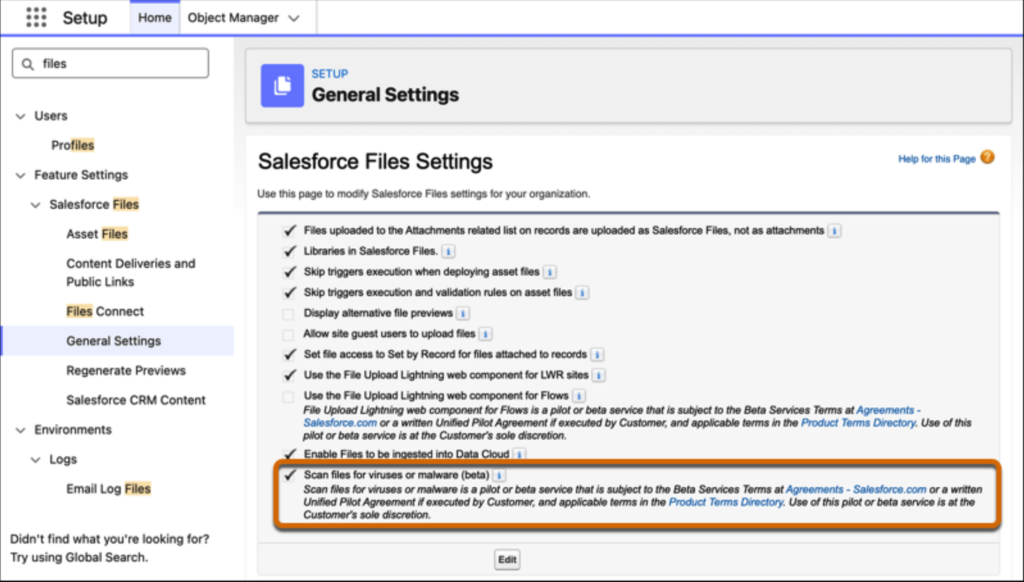
Scan Files for Malware (Beta)
To enhance security, Salesforce now scans files for malware in Salesforce Files. If a user tries to upload a malicious file, the upload is blocked. Files uploaded via the API are scanned asynchronously and appear in the new Malicious Files (Beta) list. Additionally, if a user tries to download a file that has been identified as malicious, the download is blocked.
My Trust Center (Beta)
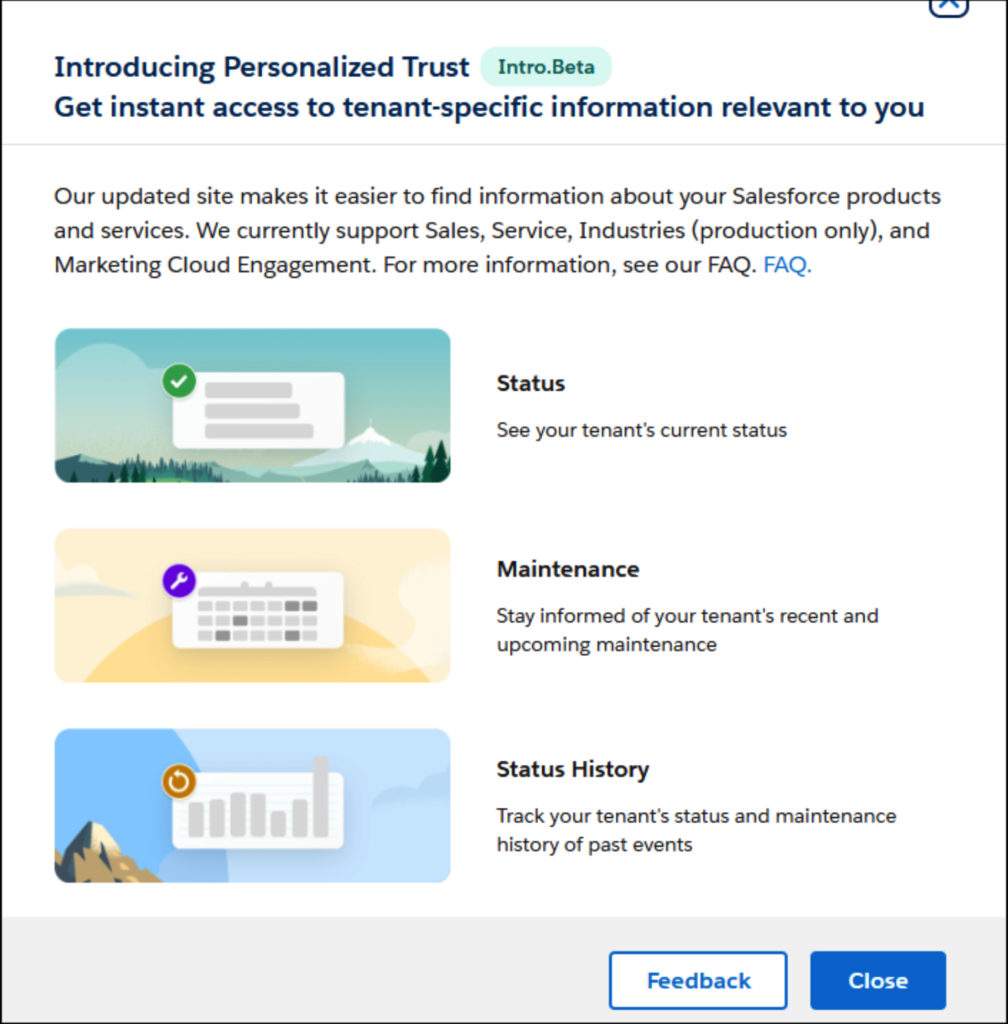
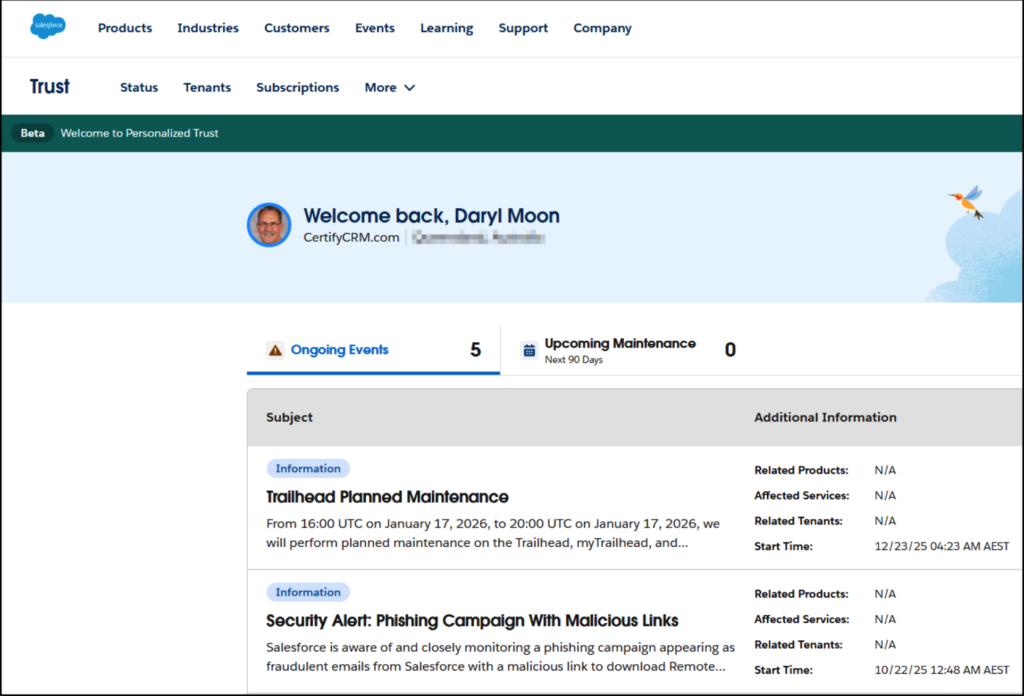
The new my.trust.salesforce.com offers a more personalized experience compared to trust.salesforce.com. It consolidates ongoing Events, Maintenance, and Status History, and adds tabs for Tenant and Subscription information, giving you a single place to view everything you need.
Salesforce Shield
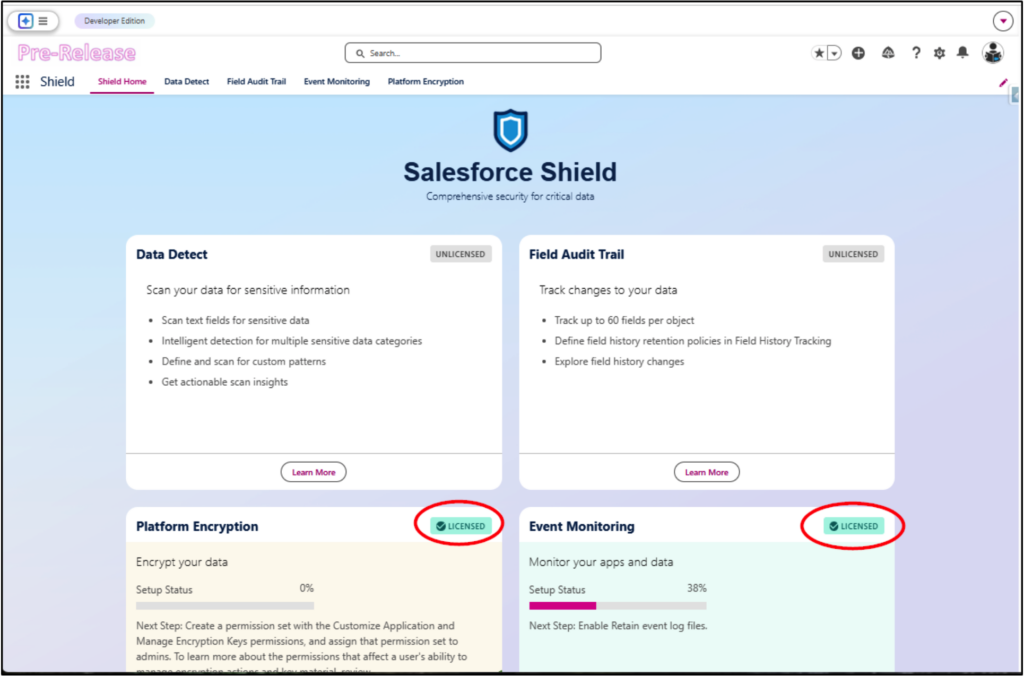
The Shield add-on, which typically costs an additional 30% of your total license fees, now includes a dedicated app to simplify the management of its features.
Approval Component
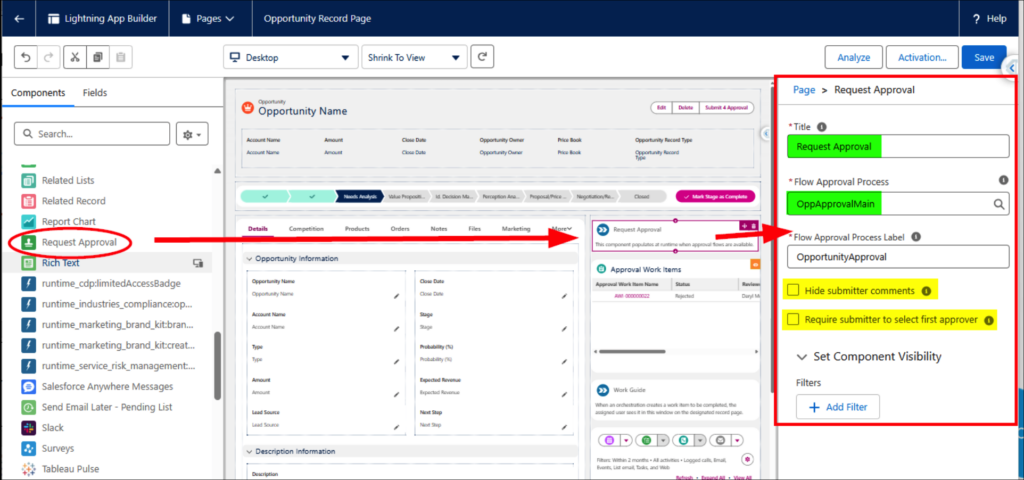
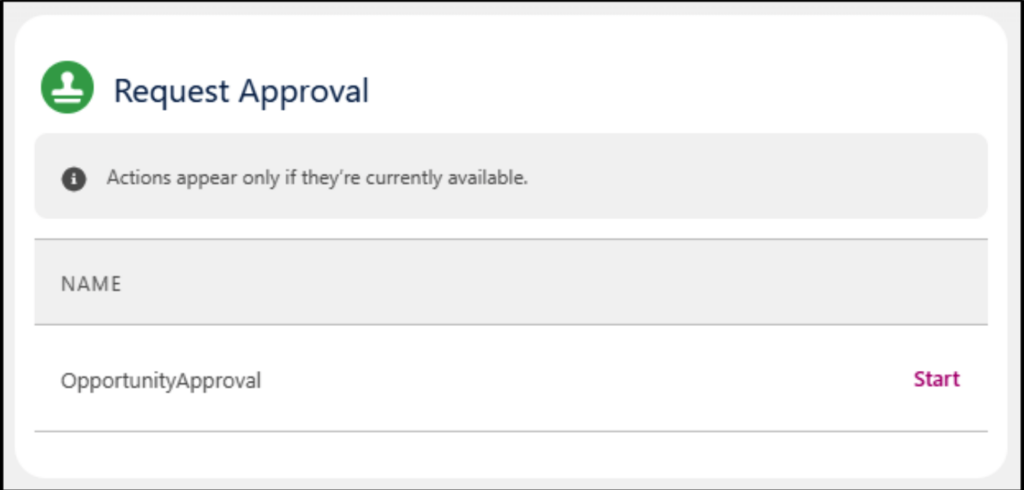
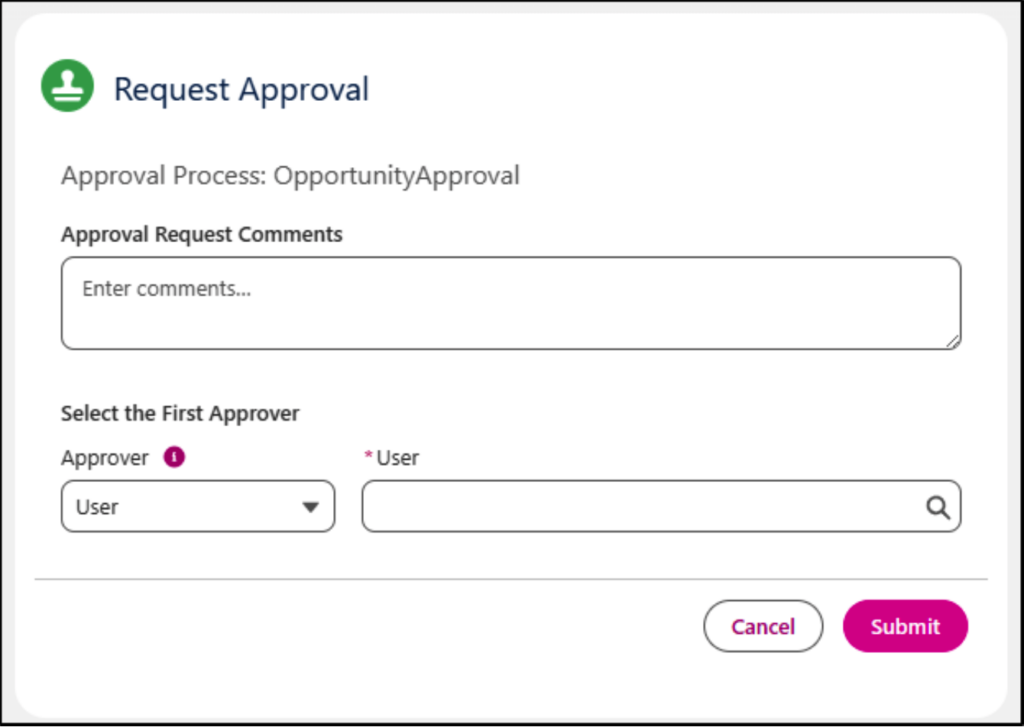
One feature that was previously missing from the new Flow-based approval process was a component for Lightning Pages that lets users submit records for approval without needing custom buttons. Spring ’26 addresses this with the Request Approval component, which can be added to Lightning Record Pages. You can choose to show or hide submitter comments and even prompt the user to select the first approver.
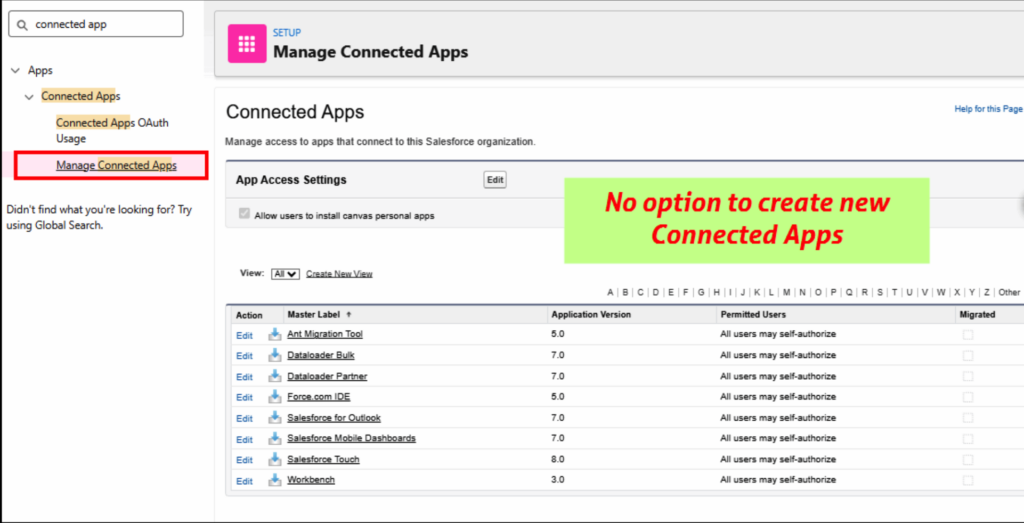
Disabled Ability to Create New Connected Apps
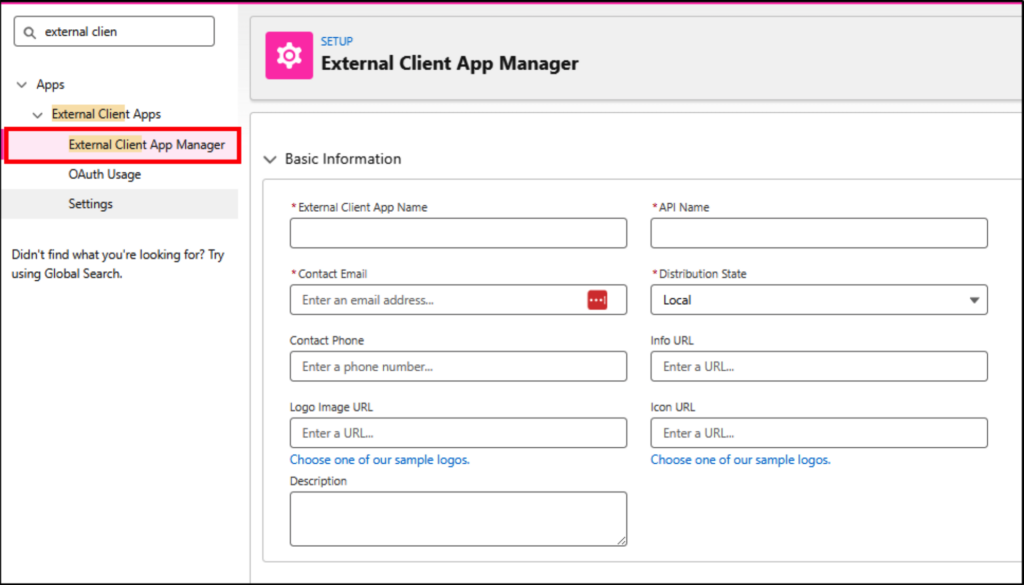
The Manage Connected Apps utility has been disabled for security reasons and replaced by the External Client App Manager. Connected Apps were linked to many of the security breaches in 2025, so this change helps protect your org from similar risks.
Here is the new method for configuring external connections:
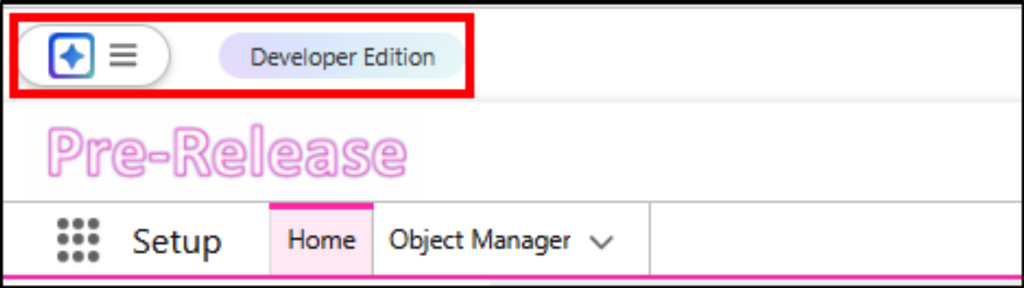
New Environment Banner
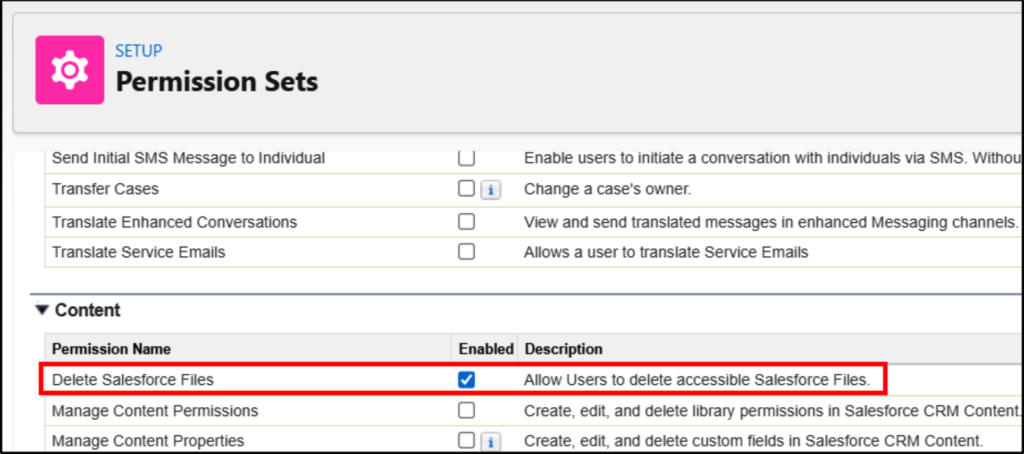
File Deletion Permission
The new file deletion permission is a welcome improvement. You no longer have to grant users Modify All Data just to delete files, which was far more access than necessary. Instead, you can create a Permission Set and assign it only to the users who need this capability.
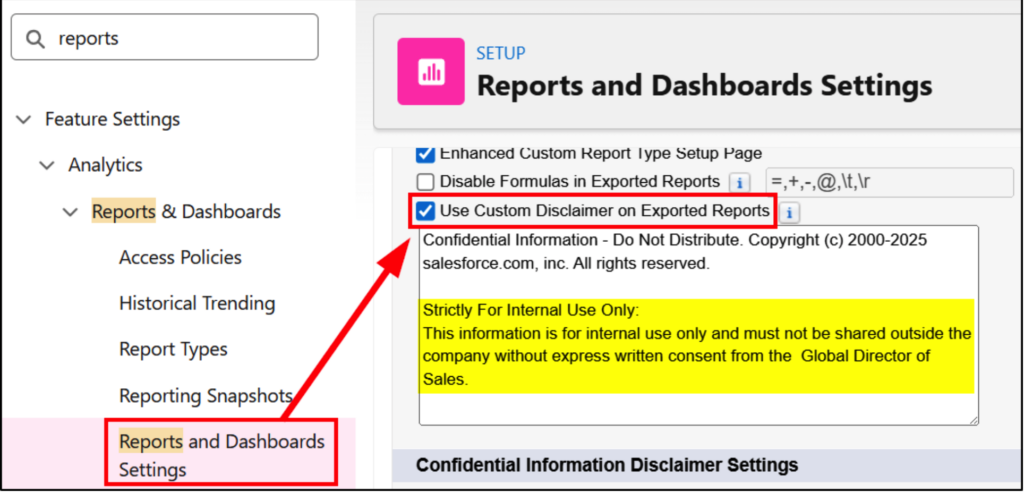
Add Custom Disclaimer to Reports
Although you can’t replace the standard Salesforce disclaimer on reports, or fully prevent report exports—you can now add a custom message. This makes it clear to users what your company policy is regarding sharing information from reports extracted from Salesforce.
Service Cloud Timeline
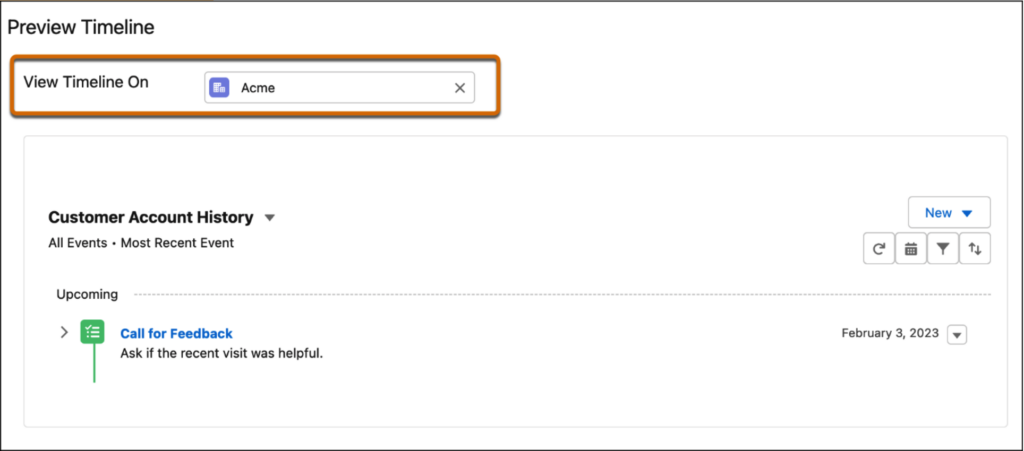
For Service Cloud users with Industries Service Excellence enabled, a new Timeline component provides agents with a quick view of all actions taken on a case, eliminating the need to sift through every detail.
Want More Salesforce Career Content?
Watch Salesforce Career focused videos, listen to podcasts and check the menu items above for links to free content and courses.
Connect With The Author of This Article
- Connect with Daryl on LinkedIn
- Learn more from Daryl on his website at Certify CRM