By Bethany Smith
Salesforce Certified Administrator & Business Analyst
Introduction: The “Experience Gap” is a Logic Puzzle
We’ve all heard it: “You need real-world experience to get the Salesforce job, but you need the Salesforce job to get real-world experience.” For a long time, I viewed this as a locked door. But during a recent 6-week project tackling over 60 requirements for a nonprofit NPSP sandbox, I realized that experience isn’t something you wait for…it’s something you document.
Early in the project, our team faced a sudden shift when a member withdrew, leaving just three of us to handle a massive workload. I noticed a gap in confidence; my teammates were incredibly talented but understandably hesitant given the scale of the challenge. To help us steady the ship, I stepped into the Team Lead role to help coordinate our efforts and channel our collective strengths. I realized that my past experience as a Business Analyst wasn’t separate from my Salesforce journey – it was the engine driving it. I decided then that I wouldn’t just “build” the requirements; I would help our team treat the sandbox like a live production environment.
Whether you are trying to break into the ecosystem or looking to level up your current portfolio, simply completing Trailhead badges isn’t enough. This article is your blueprint. By looking past the button-clicks and focusing on the business value, I’m breaking down the exact 5-phase framework our team used to solve real-world operational bottlenecks. Along the way, I’ll share the exact presentation strategies, user navigation tips, and project manager feedback that turned a standard sandbox build into undeniable portfolio proof—and how you can do the exact same thing for yours.
Phase 1: Automating the Learning Journey (Study Groups)
The first hurdle our client faced was manual tracking. Study Group Managers were spending hours “calendar chasing” to remember when a member’s 90-day window ended. I focused on a “Set It and Forget It” architecture to eliminate this bottleneck.
The Solution: The 90-Day Automation I designed a solution that allows a manager to enroll a member with a single click.
- Part 1: Enrolling Members: Creating a record directly from the Member profile ensures all data links automatically. A Record-Triggered Flow instantly pushes the Member Path to “Studying.”
- Part 2: Closing the Loop: I built a flow that waits exactly 90 days. It then automatically closes the record, updates the Member Path to “Studying Completed,” and generates an Achievement Record to celebrate the success.
Watch the Demos:
Phase 2: The Quality Gate (Verifying Certifications)
Experience is only as good as the data integrity behind it. The client needed to ensure no member was assigned to an Experience Project until their credentials were 100% validated.
The Solution: The Automated “Green Light”
- Milestone Accuracy: The moment a member passes their exam, the record creation triggers a shift in the Member Path to “Certified.”
- Data Guardrails: I implemented a Validation Rule that prevents the “Verified” status from being selected if the member’s certification email is missing. Once verified, the Flow advances the Path to “Certified Completed.”
Watch the Demos:
Phase 3: Managing the Team Lifecycle (The Experience Project)
This was the “heart” of the project. The client needed a way for Managers to enroll and graduate entire teams without manually updating dozens of individual records.
The Solution: Cascading Architecture I designed a “cascading” solution where the Parent Project record acts as the source of truth.
- The Enrollment Gate: The system verifies the “Certified” milestone is met before a member is eligible for enrollment.
- One-Click Graduation: By simply updating the Parent Project status to “Completed,” the Flow automatically syncs that status and the completion date to every associated Member record. It saves hours of manual work and ensures every member’s success is officially documented.
Watch the Demos:
Phase 4: Standardizing the Mentor Experience (Reviews & Interviews)
Once a member finishes their project, the focus shifts to professional branding. I moved the administrative heavy lifting into Salesforce so coaches could focus on mentorship rather than scheduling.
The Solution: Precision Scheduling & Readiness
- LinkedIn Reviews: I used Record Type Precision to segment session types for cleaner reporting. Saving a scheduled date instantly populates the Related List for a clear audit trail.
- Mock Interview Quality Gate: The system requires confirmation of “DIY Mock Interview Prep” and payment (via the Opportunities Related List) before a session can be scheduled.
- Automated Recognition: Completing a session automatically updates the Member Path and generates the corresponding Achievement record.
Watch the Demos:
Phase 5: The Ultimate Success Metric (The Job Landed)
The “Job Landed” milestone is the most critical data point we track. To ensure success was captured accurately, we built a final, airtight automation.
The Solution: The Graduation Stamp
When a status is updated to “Job Offer Accepted,” the system triggers a seamless, system-wide transformation to ensure our success metrics are captured with absolute precision:
- The Final Sync: Mirrors the Job Title and Employer name back to the Member record.
- Program Graduation Stamping: Automatically stamps the current date, ensuring success metrics are 100% accurate and audit-ready.
Watch the Demos:
The Missing Link: Documentation and User Navigation as a Skill
Building a complex automation is only half the battle. The other half is ensuring your stakeholders and end-users can actually navigate the system and see the value of what you’ve built.
During my final project training session, I received feedback from our Project Manager, Stefania Nader, that completely shifted my perspective. She pointed out that it’s not enough to just make things happen in the background; you have to guide the user through the experience:
“Talking and communicating with others is going to be key… The quality of your communication with them is going to serve as the source of the quality of your understanding of their problem.”
She challenged me to make sure that when an automation runs, the user explicitly sees the impact. I took that feedback straight into my final video series, focusing on a critical skill: Intentional Object and Record Page Navigation.
Instead of just clicking rapidly through the system like a developer who already knows where everything is, I focused on:
- The User’s Lens: Visually pausing on the Object and Record Page navigation so a first-time user or manager can follow the exact path.
- Proof of Concept: Explicitly pointing out where fields update on the page layout (like the Member Path or Related Achievements) so the “win” of the automation is unmistakable.
💡 BETHANY’S PRO-TIP: THE DEMO SCRIPT DIFFERENCE
Stefania noted that using a script completely changes the game – it makes a technical walk-through feel intentional, professional, and seamless. Don’t try to “wing” your videos! Writing a structured script forces you to map out your object navigation ahead of time and ensures you hit the business value proposition early. Taking the time to script my demos is what allowed me to confidently own my narrative and level up my presentation assets.
The Final Handoff: A “Production-Ready” Endorsement
The true test of any implementation is whether the client recognizes their own business operations in your build. At the conclusion of our 6-week project, Stefania delivered the ultimate validation of our technical discovery and design:
“I saw my day-to-day work in this org… It was so close to how our production environment works. After months or years of customization, you were able to get that close… with just a couple of weeks of discovery sessions. That is outstanding.”
Hearing a Project Manager praise your ability to deliver highly customized, clean automation architecture proves that you aren’t just a student practicing in a sandbox anymore..you are a professional delivering production-ready solutions.
The Blueprint for Showcasing Real-World Experience
Tackling a complex project is only the first half of gaining experience. The second half – and the part that actually lands jobs – is translating that technical build into a public-facing portfolio. As our project wrapped up, Stefania laid out the exact strategy for breaking the “no experience” loop:
“Now that you know you can do this, you have to make sure everyone around you—people who visit your LinkedIn profile or send you a DM about a job opportunity—has evidence of that fact. They need to see: Can she do this? How does she think as a system administrator? What does her work look like?”
To bridge the gap between “having knowledge” and “showing experience,” I used a three-part framework to showcase the real-world value of this build:
- Lead with the Value Proposition (The “Why”): When recording a demo, never lead with the technical steps, lead with the business pain point. Instead of saying, “I built a Record-Triggered Flow,” frame it through an operational lens: “The client was losing hours trying to graduate teams manually, so I built a cascading automation to handle team lifecycles in a single click.”
- Perfect the “Presentation Layer”: Hiring managers need to see how you value the user experience. Deliberate Object and Record Page Navigation is critical. Slow down, move intentionally through the fields, and visually hover over or point out the exact fields, paths, or related lists updated by your automations so the “win” of the build is unmistakable.
- Build for Multiple Audiences: Structure your portfolio assets to speak to different stakeholders. Ensure you have high-level walkthroughs for business executives that focus strictly on user adoption and success metrics, alongside targeted technical deep-dives that allow Senior Administrators to evaluate your flow logic and data guardrails.
Conclusion: Making Your Competence Undeniable
The “experience gap” doesn’t have to be an unsolvable puzzle. As our team proved over those intense six weeks, real-world experience isn’t handed to you on a silver platter..it is forged the moment you take a complex set of business requirements, map them to an airtight architecture, and treat a sandbox with the respect of a live production environment.
When you step into challenges under pressure, focus deeply on user navigation, and intentionally document the why behind every automation, you change the conversation entirely. You stop being a candidate who is just seeking an opportunity, and you become a professional who delivers production-ready solutions.
Don’t just collect certifications and wait for permission to start your career. Take control of your narrative, script your builds, showcase your logic in public, and show the Salesforce ecosystem that you are already operating at the next level.
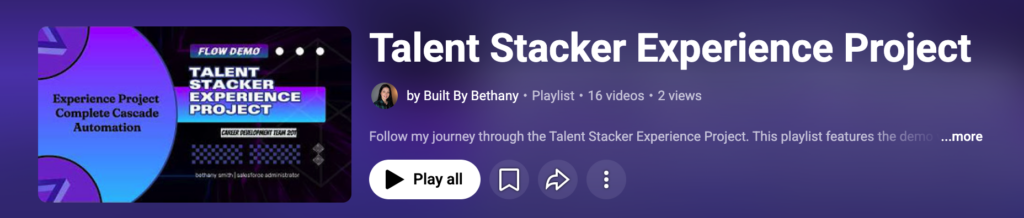
To watch all videos from Bethany’s Experience Project playlist simply click here or the image below!
Want Even More Salesforce Career Content?
Watch Salesforce Career focused videos, listen to podcasts and check the menu items above for links to free content and courses.